
Workshop log · Software Projects
Meet Servo: Bringing Up a Salvage-Built Presence Robot
In the real world, I lead Automation, Transformation, and Data Analytics. To that end, my team and I have been building AI tools. We’ve just added LLM servers to offload the grunt work from the increasingly expensive frontier models.
As is the habit of anyone in IT, I couldn’t leave it alone, so I set up my own home LLM. What to do with all this tech? I have the attention span of the dog from “UP!” SQUIRREL! So I thought: desktop robot. Then I thought, why limit it to my desk? Besides, I can’t torment the dogs from my desk.
Given that I have a pile of parts that has been quietly growing in a closet for years. Several Raspberry Pis. A handful of Pi cameras. A dead Roomba. Spare parts from 3D printers and a CNC machine. Etc.
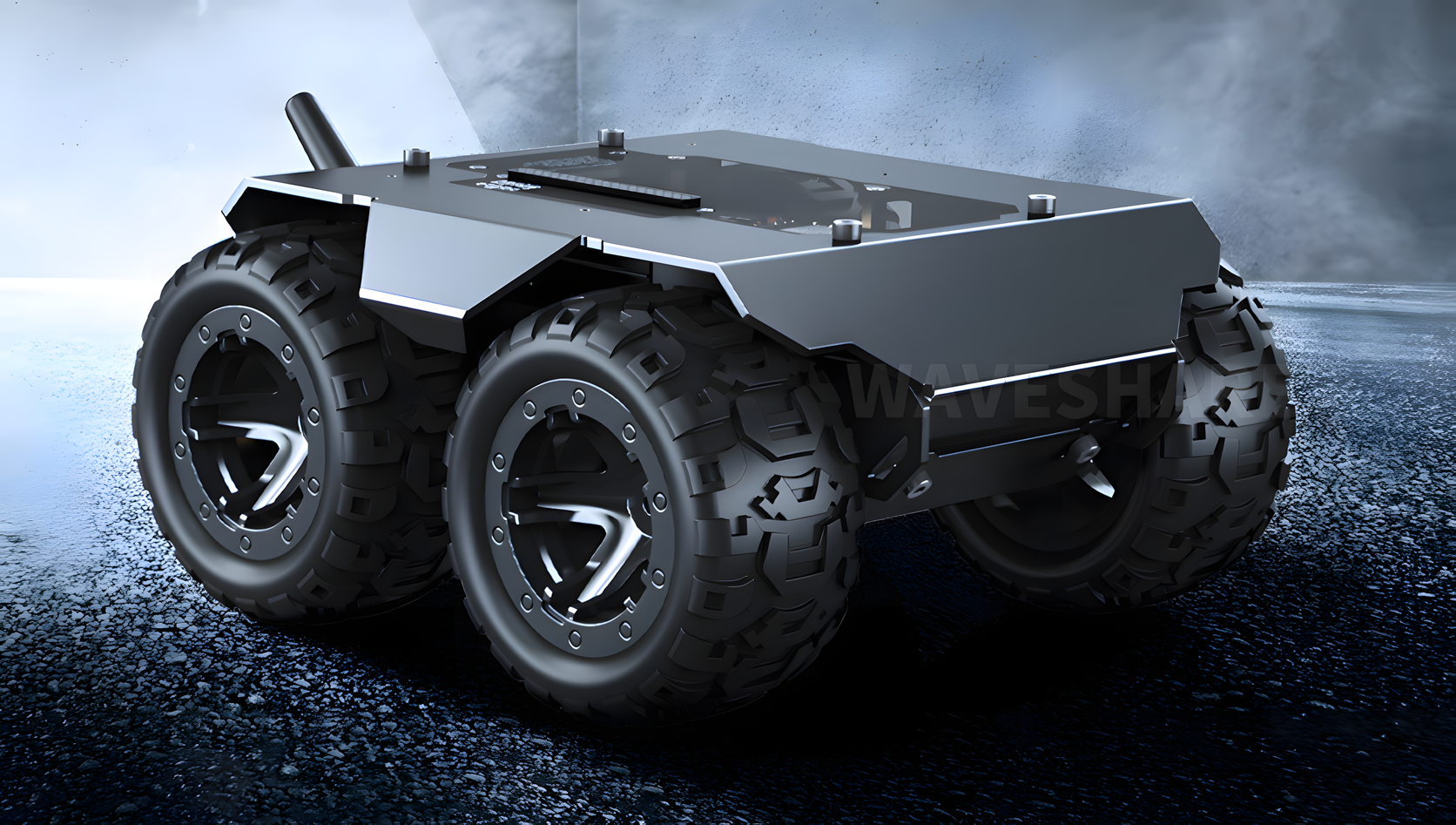
How do we make it mobile? I chose a 4WD chassis called the WAVE ROVER.
I decided it would be a sarcastic robot, so I called it Servo. That’s a nod to Tom Servo from MST3K , the wisecracking robot built out of junk. Fitting, since that’s exactly the origin story here.
What Servo is supposed to be
Before I did anything, I had to ask myself, “What’s it for”? The true answer is “Shits and Giggles.” Boiling that down, it’s “for” nothing. It’s just to prove that I can do it. To that end, Servo is a presence robot, not a task robot. It doesn’t need one killer chore to justify existing. It needs to recognize people, roam the house, and react to what’s going on around it (and tormenting dogs).
The brain-and-body split follows the logic I already use for my other homelab projects. The robot itself stays cheap and dumb. The heavy thinking — LLM calls, vision, speech — happens on my LLM server, over wifi. Servo’s onboard hardware needs to drive the motors, stream a camera, and talk to the brain.
First power-on
The WAVE ROVER (Waveshare, ordered from Amazon.ca ) arrived as a bare 4WD metal chassis built around an ESP32 board Waveshare calls the “General Driver for Robots.” No Pi included, which was fine; I already had several sitting in the closet. The firmware was current out of the box, so the first session was pure bring-up: get it on the network, get it moving, see what breaks.
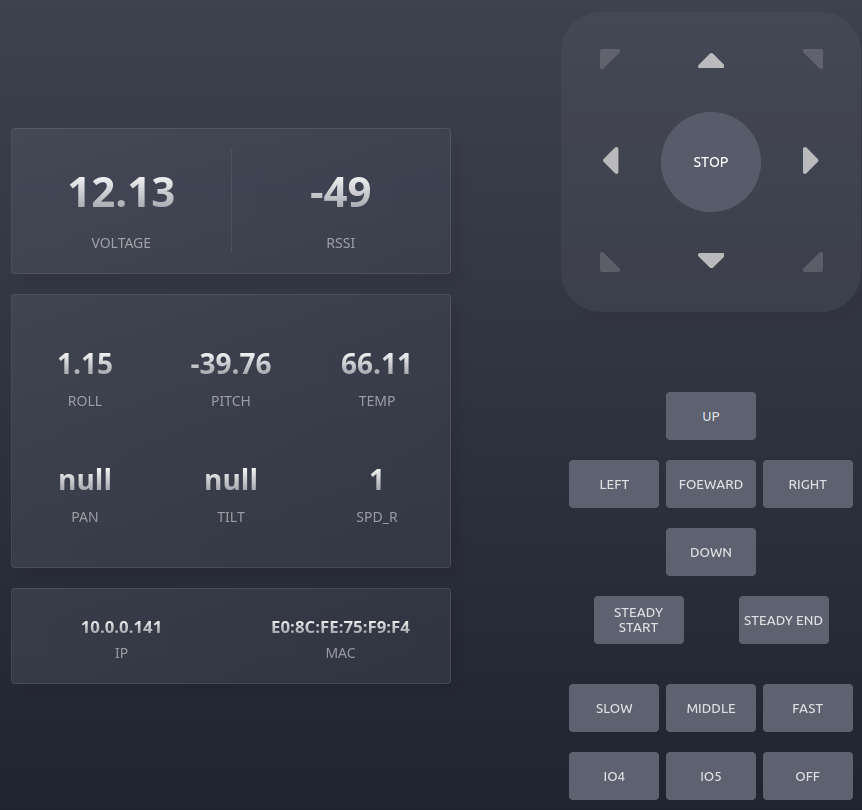
Joining the home LAN took one command, sent through the board’s web UI. It switches the board from access-point mode into station mode, so it joins your wifi instead of hosting its own:
{"T":404,"ap_ssid":"UGV","ap_password":"12345678","sta_ssid":"<ssid>","sta_password":"<pass>"}
It came up at 10.0.0.141 (a DHCP reservation is on the to-do list). I could reach it from a browser, but the real test was the command line.
Proving the control loop
The board takes commands as JSON, sent over HTTP. A drive test was just this:
while true; do
  curl -sG "http://10.0.0.141/js" --data-urlencode 'json={"T":1,"L":0.5,"R":0.5}'
  sleep 0.3
done
L and R are the left and right wheel speeds. I resend the command a few times a second, for reasons that become obvious in the next section. Telemetry works the same way: one request for {"T":130} returns yaw, roll, pitch, temperature, and input voltage in a single JSON reply. No batteries yet. Those show up later this week. I’ll run it all on the bench power adapter. That was enough. Command in, motion out, telemetry back. Success!
HTTP JSON is now the control protocol for the MVP. A safety net is built in: the board has a 3-second heartbeat, and if it doesn’t get a new command before that runs out, it stops the motors.
Four gotchas that I ran into
None of these were hard to fix once I found them. Each one still cost real time before the “oh” moment.
| Symptom | Cause | Fix |
|---|---|---|
A raw curl request with {...} did nothing, but the web UI worked fine | The ESP32’s HTTP parser rejects unencoded { and " characters | Use curl -G --data-urlencode 'json=...'. This encodes the request the same way a browser does automatically. |
A single curl call produced no visible motion | The board stops the motors 3 seconds after the last command. One command moves the rover for a blink you can easily miss. | Resend the command in a loop, at roughly 3 Hz. |
L:0.2 did nothing at all | Motion values are floats between 0 and 1. Below about 0.3, there isn’t enough torque to overcome the N20 gearbox’s static friction. | Use values of 0.3–0.4 or higher for actual movement. |
The board sometimes replies nullnullnull | This is normal. The board returns null when a command has no data to send back. | Ignore it. |
What do I have to work with?
OK, I have a working platform to build on. What’s in the parts bin? This one turned up three Pi 3Bs (one with its own 5" display), a Pi 3B+, a pile of OV5647 cameras, a Freenove robot dog kit (bunch of 9g/cm servos), a full GRBL CNC stack, an old Ender 3 board, more bearings than I remembered buying, a couple of spare SSDs, and a first-generation Roomba, complete with its Virtual Wall pods.
That Roomba is too old to talk to. It predates iRobot’s serial interface entirely, so there’s no way to drive or query it without deep hardware surgery. It’s getting stripped for parts instead: bump switches, cliff sensors, the IR wall-following hardware, motors.
What’s next
Some hard decisions remain. The Pi 3B+ only has 1 GB of RAM, and asking it to run a camera stream, a wake-word listener, and face rendering all at once would be pushing it. I didn’t want to go that road, so a Raspberry Pi 5 (8 GB) and a Raspberry Pi AI Camera are now on order.
The camera is the real change. Its Sony IMX500 sensor runs person detection and pose estimation on the sensor itself, so Servo doesn’t need to ask the server, “Is someone there?” It answers that question locally, for free.
Next up: An untethered run. I’m just waiting on the Battery order.